 TOS Content AI
This month 40 articles
and the team is three people.
Every content team knows this. With the tool: paste the keyword Sheet in the morning, outlines ready for review by noon, AI writes in the afternoon, the lead reads and clicks Approve in the evening. Numbers without a source get flagged, never invented.
Sign in with Google · 5 articles free · Bring your own API key or top up tokens · Data hosted in Vietnam
*Climate: highland subtropical
*Avg. temperature: ~17.9°C
→ answer-first, secondary keywords + search volume
Model: Claude · GPT · Gemini — pick & compare
A content team's week, with the tool
No back-and-forth chatting with AI per article. The whole process runs in one place, and everyone sees where each piece stands.
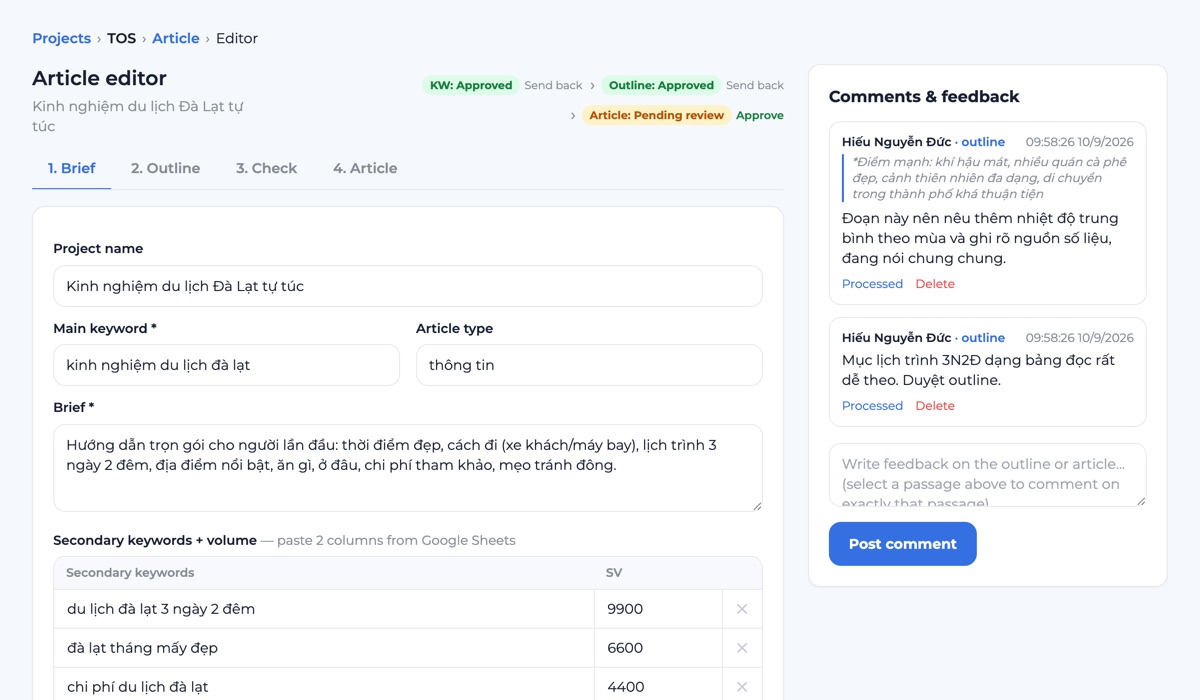
4-step workflow
Brief → Outline → Check → Article. Boss wants H2 number 3 changed? Edit it in the Outline tab and carry on, no rewriting from scratch. When done, export HTML and paste into WordPress to publish.
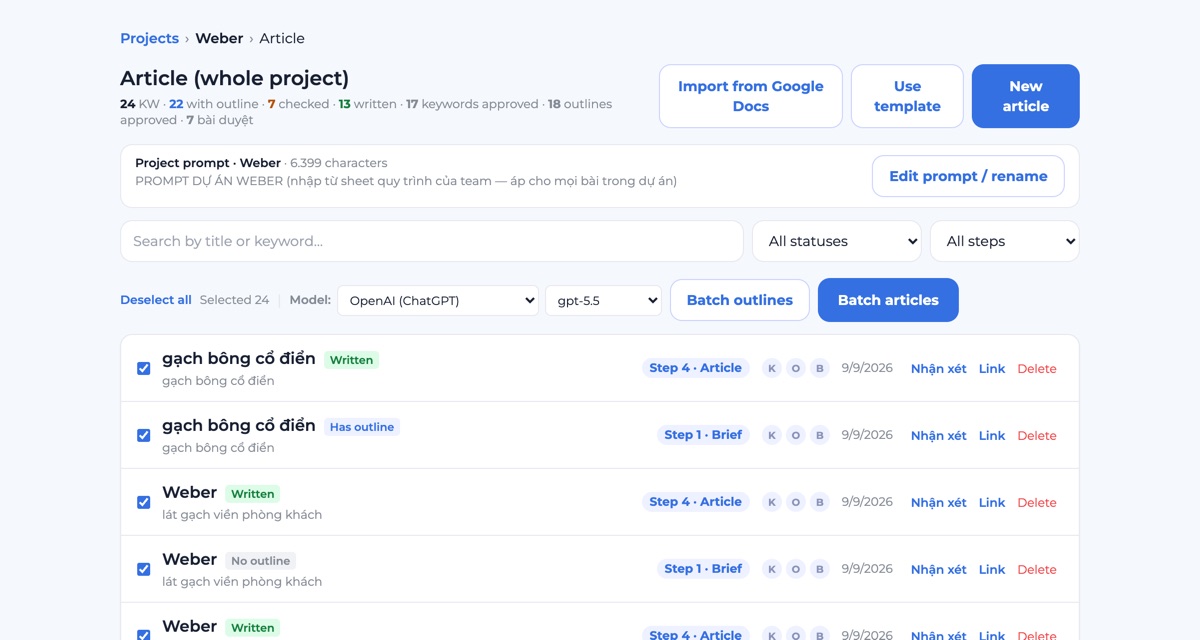
Batch generation
Monday: upload an Excel file or paste a Google Sheet link with 30 keywords, each row becomes an article. Test the first 2 rows, they read fine, run the rest and head to a meeting. Come back to 30 outlines waiting.
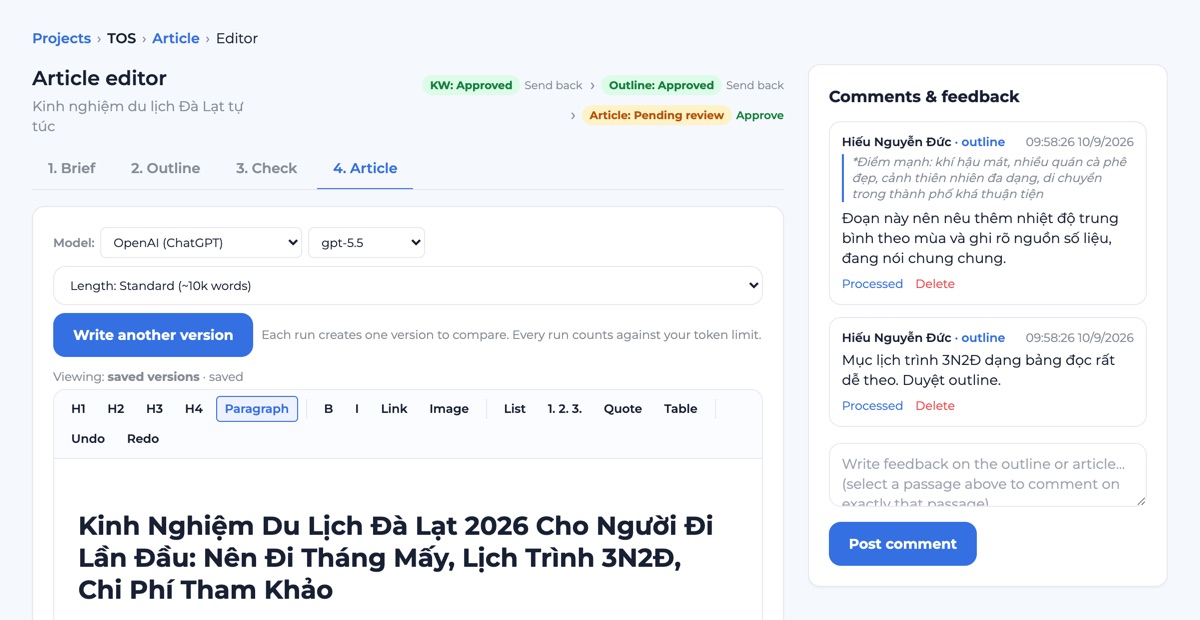
Multi-AI + compare drafts
Tough article, not sure which model fits? Same outline, let Claude write one version, GPT another, Gemini a third. Read and pick.
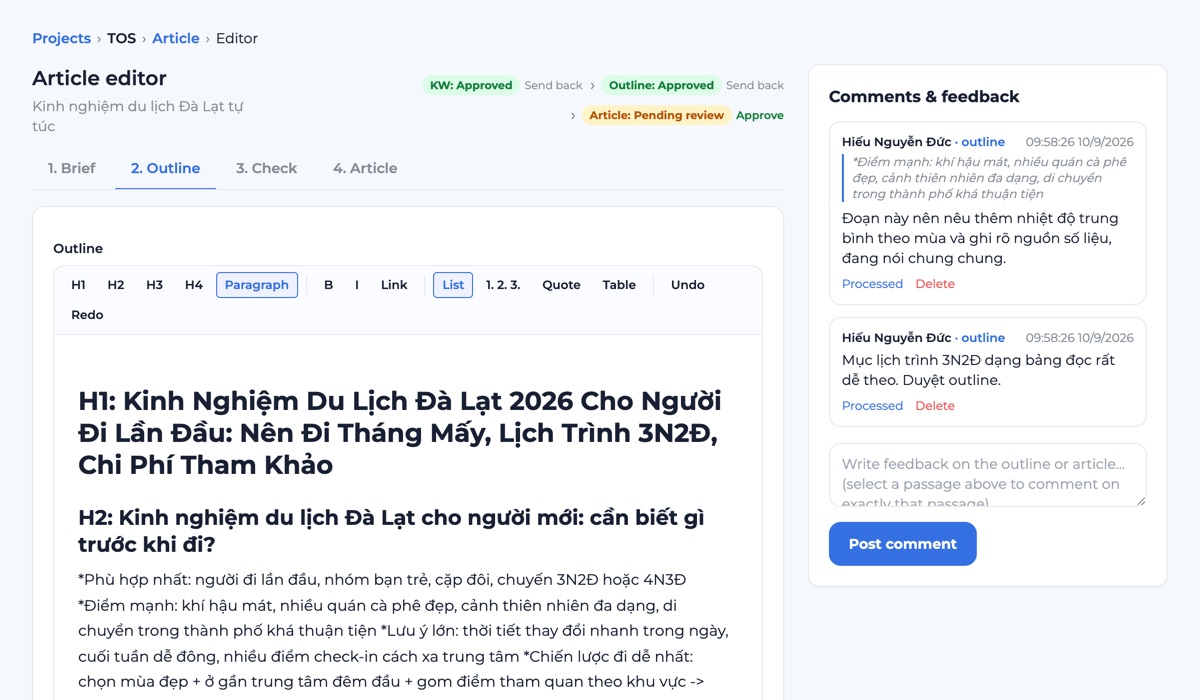
Passage-level comments, step-by-step approval
The lead highlights a passage, leaves a comment right there, and shares a direct link to the article. Outlines can only be generated after the keyword is approved, and articles only after the outline is. Nobody burns tokens writing from an outline no one has read.
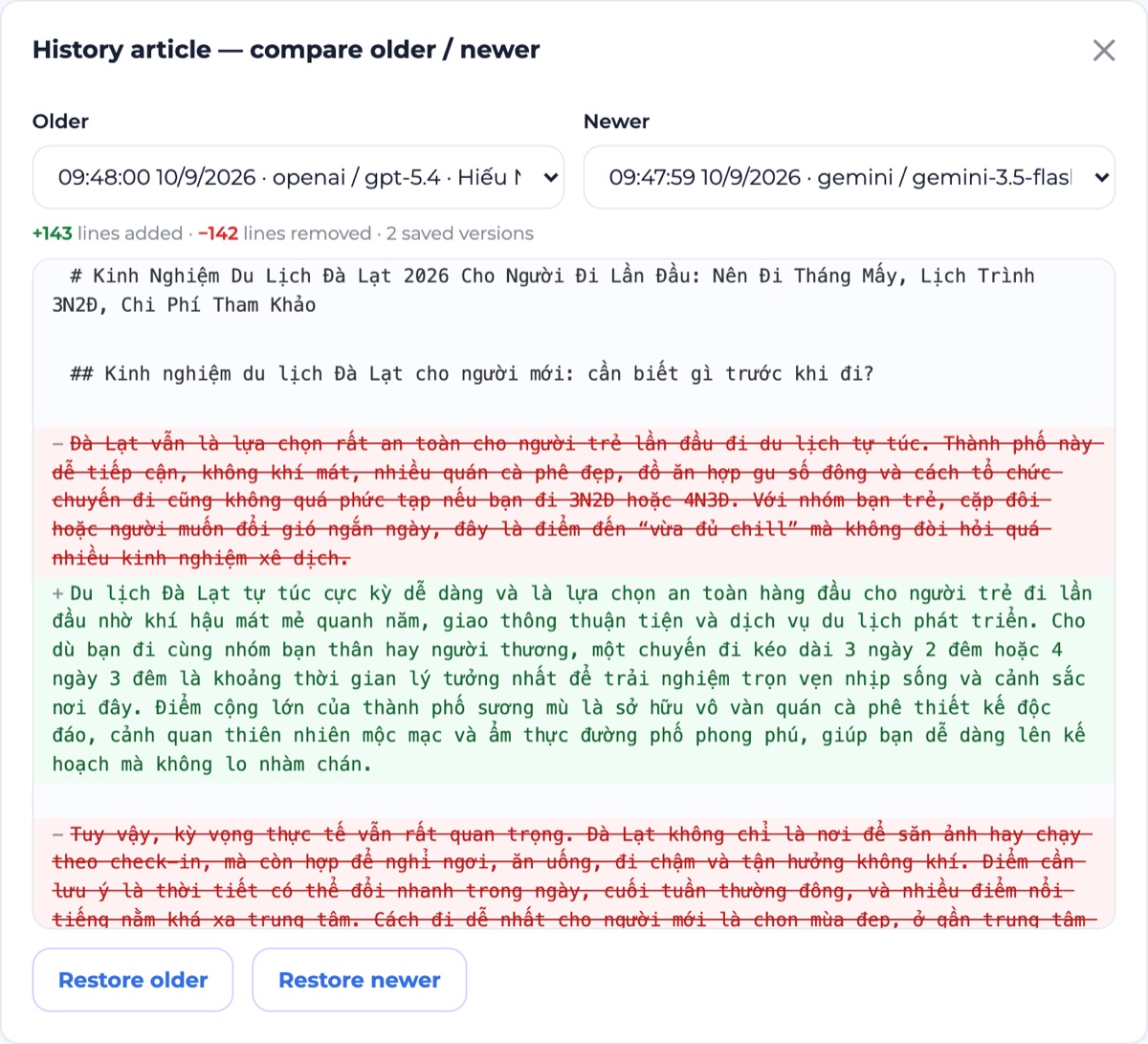
Version history
Every AI regeneration or manual edit is a new version. Open two side by side and see exactly which lines changed. Not happy? Restore the old one in a click.
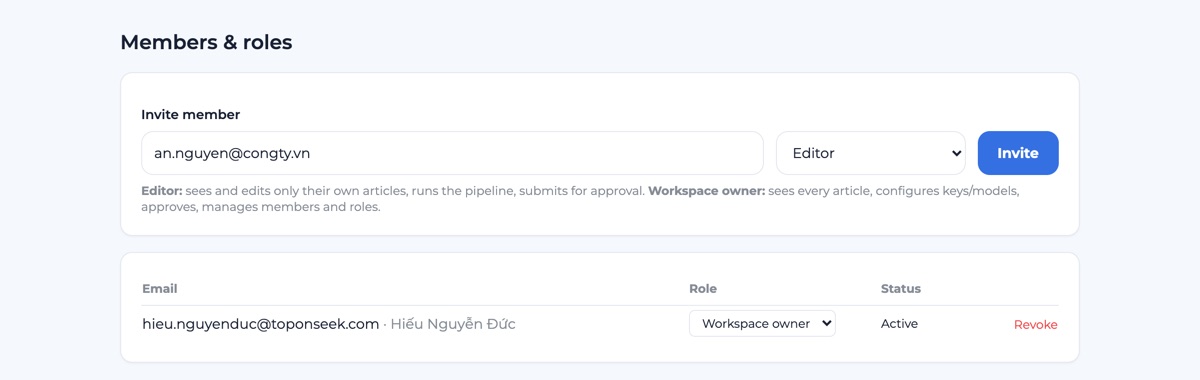
Workspaces & roles
Client A gets a workspace, client B gets another, separated right at the database layer. Newcomers are editors: they see only their own articles and submit them for approval. The lead is the workspace owner: sees everything, approves, holds the API keys.
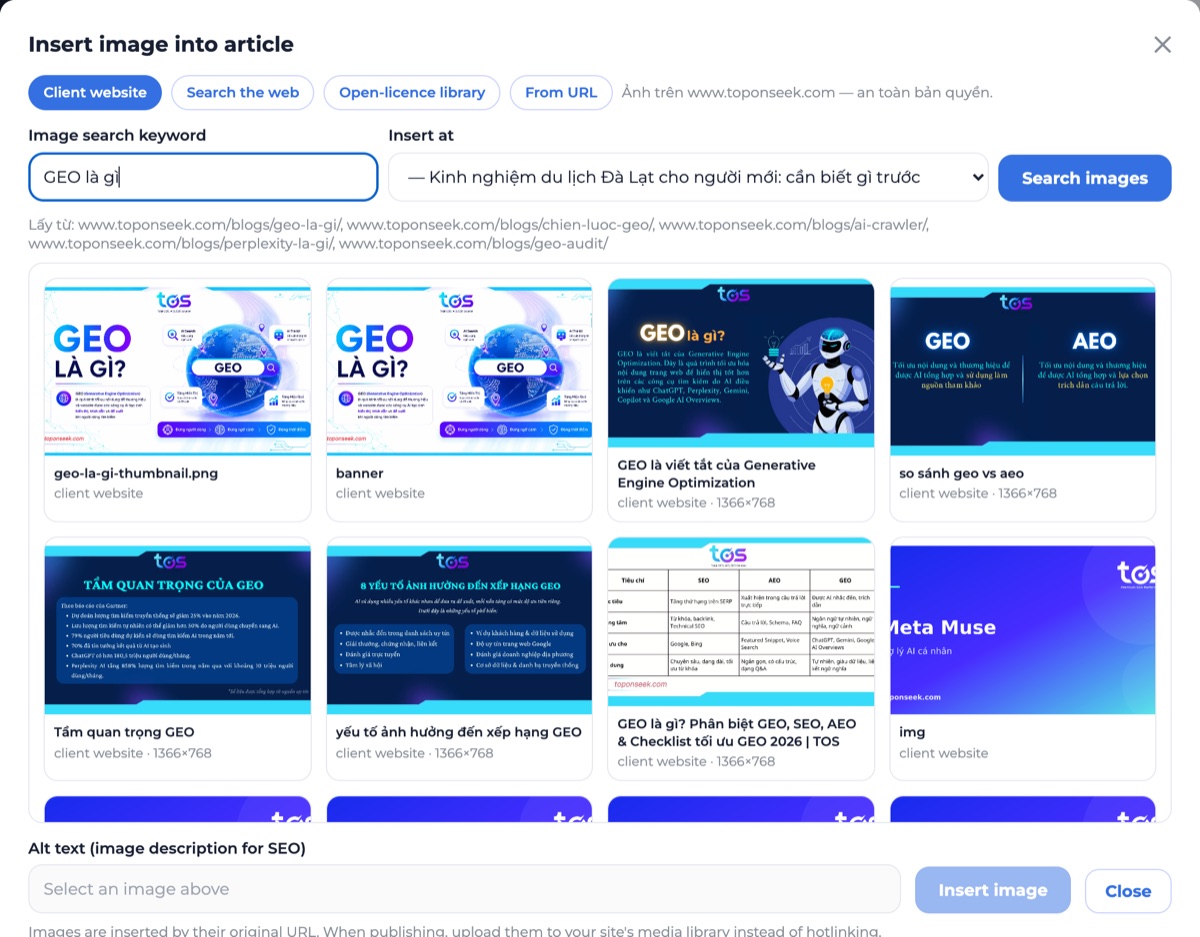
Images & internal links
Write [ẢNH: Da Lat grilled pork rolls] under a heading in the outline, and the article comes out with the image and a source line. Prefer to pick by hand? Open the image picker: pull from the client's own website, an open-licence library, or a URL you paste. Give it a keyword-to-URL list and it inserts internal links for you.
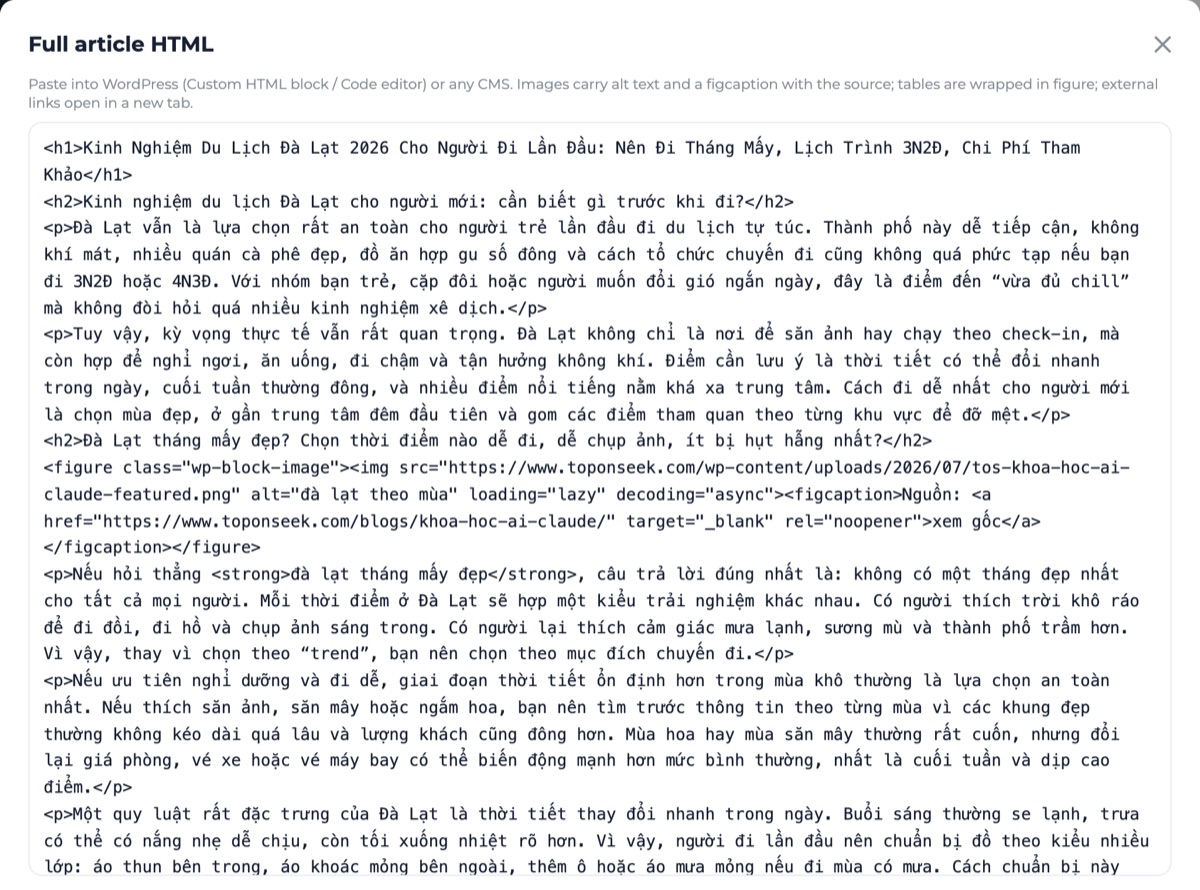
In from Docs, out as HTML
Old articles sitting in Google Docs: paste the links, the tool pulls them in under the right keyword with history kept, and you can close the Sheet. Inside, edit like Docs: headings, tables, links. Then click Copy HTML and paste into WordPress with formatting intact, images with alt text and source captions.
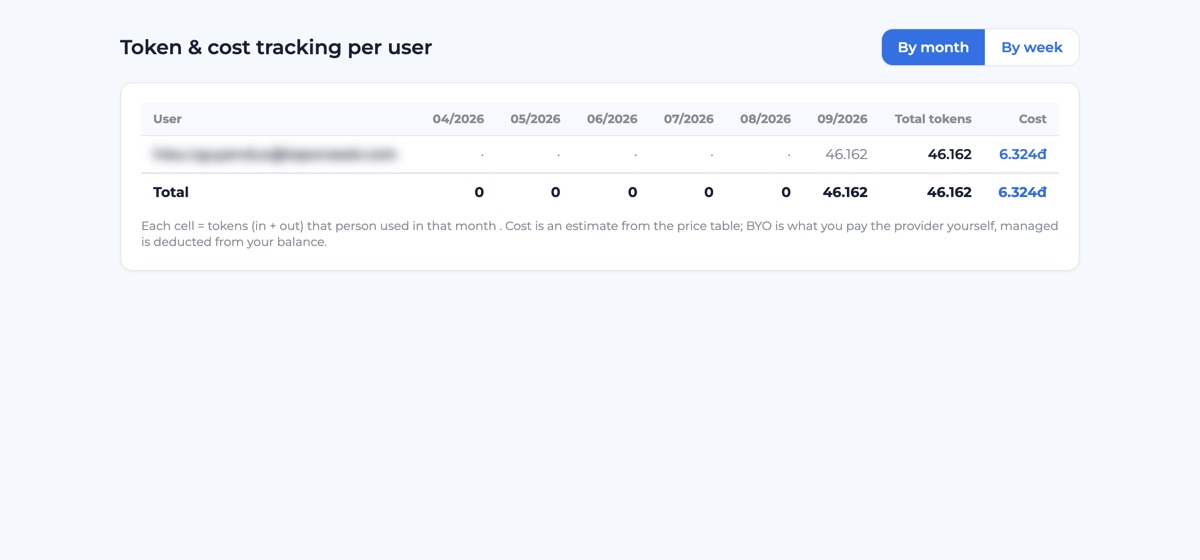
Cost & limits
Open Reports at week's end: who used how many tokens, which article cost most, by week or month. Every plan has a daily cap, so nobody accidentally runs 200 articles in one sitting.
One article, four steps
Enter the brief
Main keyword, a few lines of brief, secondary keywords pasted from the Sheet. Add the project prompt if there is one.
Sinh Outline
AI builds the outline on the TOS framework: an H1 with a point of view, a quick-facts block, FAQ, editorial notes. Not happy with a section? Write the change request and AI edits only that part. The writing step unlocks once the outline is approved.
Check & edit
AI reviews against the SEO/format checklist and flags claims without a source. You edit right on the outline.
Write & approve
AI writes the article and inserts images and internal links. The lead reads it, comments on the exact passage, clicks Approve. Copy the HTML and paste it into your site.
Three teams that use this tool
Each has its own pain.
SEO Agency
8 clients, 8 domains, 50 articles every month. One workspace per client, and a token report per person at month end, no manual tallying.
In-house Marketing
One brand, one voice no matter who writes. Set the project prompt once and every article follows it. The lead approves inside the tool, no shuffling to Docs.
Publishers / Editorial
The biggest fear is AI inventing numbers. The Check step flags missing sources; write 2–3 drafts from different models and pick the best one to edit further.
BUILT BY
TOS — AI Search Agency
TOS writes for its clients with this exact process every day. The tool simply packages it: the outline framework, answer-first writing for GEO/AIO, and the habit of checking numbers before publishing.
Achievements
Recognition for relentless, focused effort.





Clients
TOS is proud to be the long-term partner of multinational companies across many industries.
























Pricing
Try 5 articles at no cost. After that, your own API key costs nothing extra, or top up tokens to use TOS's key.
- 4-step workflow + batch generation
- Platform key for 5 articles
- Step-by-step approval, passage-level comments
- Unlimited with your own key
- Multi-AI + compare multiple drafts
- Version history, Google Docs import
- Weekly/monthly cost reports
- Top up tokens for the platform key
- Multiple workspaces, isolated data
- Step-by-step approval: keyword, outline, article
- TOS builds an industry-specific outline framework for you
- Onboarding support, migrating existing articles
Frequently asked questions
How does the no-made-up-numbers rule work?+
The prompt forces answer-first writing and bans invented numbers. The Check step reviews the outline and article against a checklist and flags anything without a source. A person still reads before publishing; AI never publishes on its own.
Is my API key kept secure?+
Keys are encrypted at rest (AES-256-GCM), decrypted only on the server when calling the AI, and never sent to the browser. Use your own key or TOS's.
Which AI models can I choose from?+
Claude, ChatGPT and Gemini. Pick a model per step (outline / check / article), and generate several versions to compare and keep the best.
Can I reference a competitor's outline?+
There is a 'Competitor outline' field to paste into; AI uses it as a reference when building the outline. Automatic crawling of competitor URLs is on the roadmap.
Where is my data stored, and is it mixed with other customers'?+
Servers are in Vietnam. Each business gets its own workspace: projects, users, settings and limits are all separate, isolated at the data layer, not just hidden in the UI.
How is cost calculated?+
5 articles free. After that, use your own API key (no platform fee) or top up tokens to use the platform key, billed on actual usage.
We write in Google Sheets and Docs. How do we move over?+
Paste a list of Google Docs links (shared as Anyone with the link). The tool downloads the content, matches each doc to the right keyword in the project and places it at the Article step, with version history. Paste your team's prompt from the Sheet into the Project prompt and new articles keep the same voice.
Does AI publish on its own? Who approves?+
It never publishes on its own. Every article passes three gates: keyword, outline, then article. Editors submit; only the workspace owner clicks Approve or sends it back. Until the outline is approved, the Write button stays locked, so no tokens are spent on an article whose outline nobody has read.
Start with the article you owe this week
Sign in with Google, paste a brief, the first 5 articles are free. If it's not for you, walk away, no strings attached.
Try 5 articles free →